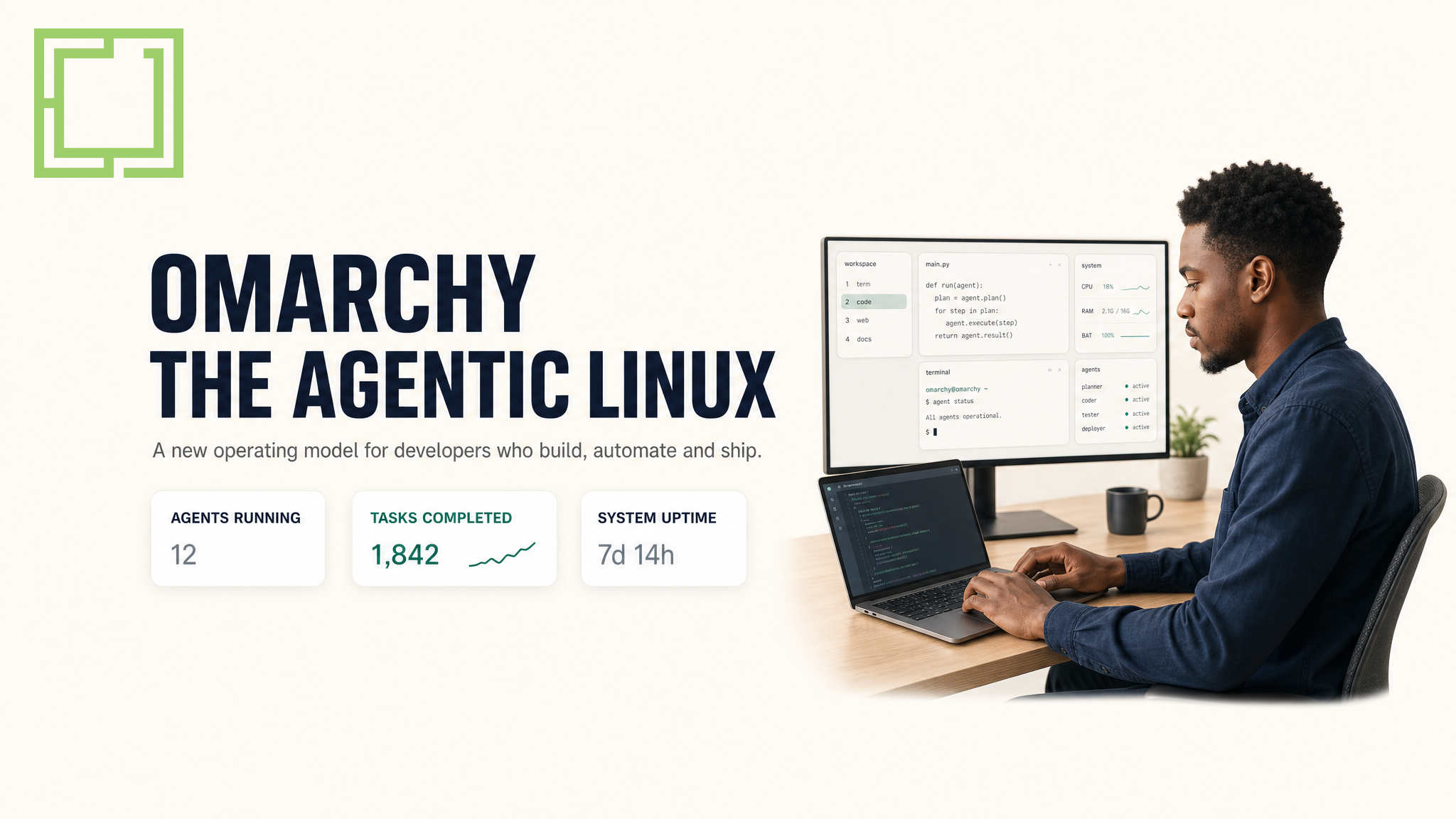
Somewhere along the way, Linux stopped being something you install and started being something you pick an opinion about, then defend on the internet.
I've spent my share of time on the opinionated side of that argument myself. Not long ago I wrote up how I customised Ubuntu 26's fonts and icons — a GNOME box set to my taste with the Inter typeface, Papirus icons, a teal accent and the dock pinned and centred. It made Ubuntu feel like mine. The setup was reproducible, I could re-run it on any machine, and it was a genuinely nicer way to work.
But here's the philosophical gap that Omarchy is exploiting: I had to build that taste, command by command, gsettings by gsettings.
David Heinemeier Hansson — DHH, the Ruby on Rails and Basecamp creator — decided the distro should just ship the taste already applied. Omarchy is his Arch-based answer to what a desktop looks like when someone opinionated configures it for you, then hands you an AI agent to tweak the rest by talking to it. In the three weeks since Omarchy 4.0 "Quattro" landed, it has gone from a niche developer experiment to the distro whose name keeps showing up in "what should I wipe my machine for next?" threads.
The DistroWatch page for it sits around 8.7/10 from 50 reader reviews. Its GitHub repository — under the basecamp org, incubated at 37signals — has passed 28,000 stars, with Claude, Codex and Copilot listed among the committers; the project is in part being built by the very agents it ships. And omarchy.org's banner today reads that the Omacom Foundation has launched with $14.95 million behind the distro.
So what exactly is everyone installing? And is it for you?
What Omarchy actually is
Strip the AI hype away and Omarchy is: Arch Linux, a thin Hyprland tiling window manager, and a desktop shell called Quickshell on top — all preconfigured, themed and glued together until it looks like something from a film rather than a four-hour pacman session.
The big architectural news is that Quickshell — a Qt Quick toolkit for building desktops — now runs the entire interface. In the Quattro rewrite, the bar, launcher, menus, notifications and the rest were folded into one long-running, fully-themed, scriptable shell process instead of a stack of independent pieces sitting around the Hyprland compositor. That's the difference from a "themed Arch install": the parts are designed to cohere, not just bundled.
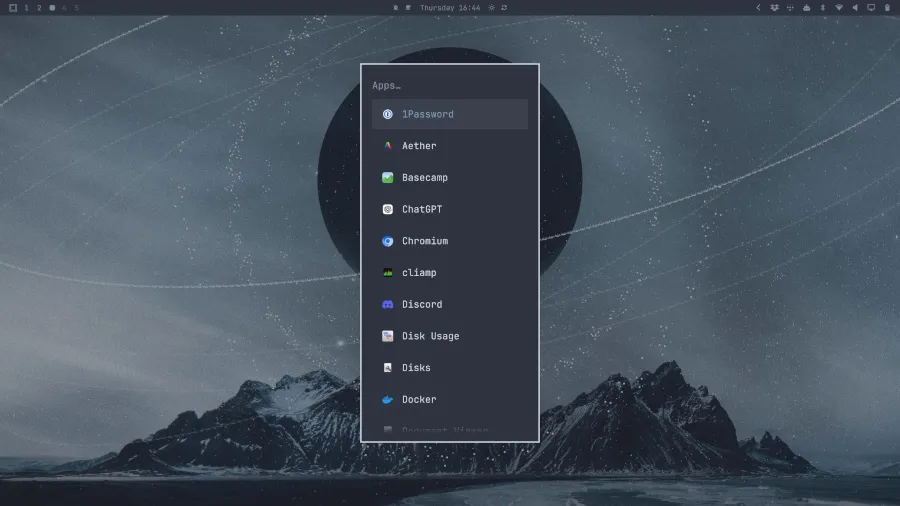
Here's the real thing running. A slim top bar with workspaces 1–5 on the left, the clock and tray to the right, and Omarchy's charcoal "Apps…" launcher open over a moody mountain wallpaper — 1Password, Basecamp, ChatGPT, Chromium and Docker in the quick-launch list, because this is a system aimed squarely at developers.
Why does the technology matter for normies and not just nerds? Because the whole pitch is that you get the result of a months-long Arch-and-tiling journey without doing the journey. Installing on current hardware takes minutes, not an evening of pacman commands.
The agent isn't a chatbot bolted on — it lives in the OS
This is the part that separates Omarchy from a themed Arch install, and it's why the comments section of every video about it is full of people deciding which machine to wipe.
Every major coding-agent CLI — Claude, Codex, ChatGPT, Gemini — ships pre-wired as a launcher. You pick a default and it becomes the system's AI; nothing downloads until you first run one. But what the agent can do goes deeper than answering questions in a terminal:
- Crash diagnosis. When a process dies, a notification offers to have the agent walk through the core dump and decide whether to report it. The scariest part of Linux — an unreadable error — now comes with a translator built in.
- Theme it by asking. You ask for a Cyberpunk-neon theme or a Windows XP one and the agent builds and applies it while you watch, through a skills system that edits the Hyprland config, tweaks the top bar or writes a whole new theme.
- A subscription tracker shows your token usage and weekly limits across every connected AI service in one panel.
- Local models are first-class. The installer offers LM Studio and Ollama, so you can run a local LLM instead of paying per-token.
Official Omarchy Quattro launch walkthrough by David Heinemeier Hansson.
Why everyone's suddenly raving
The fuse was a single video. NetworkChuck's "You need to switch to Linux RIGHT NOW!!" dropped on 21 August and has since passed 1.6 million views in under three weeks — and it didn't just demo the OS, it demoed the agent re-theming the desktop live and diagnosing crashes. For a generation raised on AI assistants that live in a browser tab, seeing the OS itself take voice-and-text commands was a "wait, that's Linux?" moment.
That landed on fertile ground. Tiling window managers have had a decades-long credibility problem: unquestionably powerful, unbearably fiddly to set up. Omarchy's innovation is largely curation — taking Hyprland, which is arguably the most beautiful tiling compositor around, and making it as turnkey as CachyOS made Arch for gamers and Windows switchers.
“The whole point is that you no longer have to. Omarchy is leaning fully into the future and the age of agents — this is how we truly democratize Linux.”
— David Heinemeier Hansson, creator of Omarchy
What people rave about in reviews:
- It feels cohesive — Hyprland, the terminal, keybindings and the apps feel designed together, not stacked.
- The defaults are sensible and opinionated — you learn its workflow instead of drowning in toggles. (One Finland reviewer: "It still feels like Arch underneath, but without constantly reminding me I'm using Arch.")
- It runs on old hardware — a 2013 MacBook Pro, nine-year-old Dells with 8 GB of RAM, and Apple silicon via Asahi (with effort).
And the money gives it staying power that community distros rarely get. The Omacom Foundation — a nonprofit holding the trademarks and funding infrastructure — was seeded with $8M from eight founding patrons, passed $12.6M within ten days once 1Password and 37signals joined as the first corporate patrons, and has since climbed on omarchy.org to roughly $14.95M. A distro built on one developer's taste is a hobby; one backed by a trademark-holding foundation with real runway is a project.
The crowd that's annoyed — and why that's actually the point
No distro gets this popular without a backlash, and Omarchy's is specific: the Arch purist.
"I use Arch, by the way" carries a certain earned-it-myself pride — and a preconfigured Arch that hands you the whole setup in minutes can feel like it's devaluing the currency. DHH's answer, echoed by NetworkChuck, is blunt: that's the entire point. You don't have to spend the weeks anymore. "Omarchy is leaning fully into the future and the age of agents," DHH says — fine if that's not your jam, he adds, "there's a lot of anti-AI distro options."
There's a fair critique buried under the gatekeeping though. Omarchy is not for the "normal user" — the keyboard-driven tiling workflow has a real learning curve (reviewers report two or three days to internalise the keybindings), and it's unapologetically aimed at developers and power users. If your Ubuntu setup is the end of your tinkering, not the start — the way the font-and-icon config I documented is — staying with GNOME is probably the right call. Omarchy assumes you want the curl-up-and-tweak relationship with your OS; it just does the boring 90% so you can enjoy the fun 10%.
Where it fits in 2026's "agentic OS" field
Omarchy is the loudest, but it's not alone. Every major distribution is positioning for the same moment — a year when the operating system's job arguably shifts from "run my apps" to "run my agents":
- Ubuntu 26.04 LTS is pitched by Mark Shuttleworth as the OS for the AI agentic era, delivering local models as confined inference snaps.
- Fedora is wiring AI into the OS rather than on top of it, with a proposed "Fedora AI OS" whose agents are governed by SELinux and Podman.
- CachyOS is the other Arch-based contender — x86-64-v3/v4, LTO and PGO optimised packages for raw speed and gaming.
- Pop!_OS / COSMIC is System76's from-scratch Rust desktop: privacy-first, local-AI friendly and the best out-of-the-box NVIDIA story.
My take, for what it's worth, is that these converge on the same conclusion we've been drawing about AI search and generative engines: AI stopped being an application you open and is becoming the substrate the interface runs on. Ubuntu arriving on that wave shouldn't surprise anyone reading our own SEO archive — it's the same agentic current that AI answer engines now send (or don't send) referral traffic through.
Should you try it?
The Quattro release added a proper dual-boot installer, so you can test it on the machine you already own without committing — sensible route being VM first, USB stick second, full wipe when you're sure. Hardware-wise it's encouraging: NVIDIA works (with the usual Linux caveats), Steam's Proton handles most Windows games, and older machines are fine.
Whether it's for you comes down to one question: do you want your Linux to arrive already-tasteful — a finished, opinionated, agent-assisted desktop that gets out of your way — or do you enjoy building that taste yourself, the way I documented with Ubuntu's fonts and icons?
If you're still reading this and you're a developer, you already know which side you're on.

Comments (0)
No comments yet. Be the first to share your thoughts!
Leave a Comment
Your email address will not be published. Required fields are marked *